Category: Uncategorized

  • The Quiet Legal Attack on Small Businesses: ADA Website Compliance Explained

    The Quiet Legal Attack on Small Businesses: ADA Website Compliance Explained

    If you run a small business, chances are you have heard the term “ADA compliance” tossed around recently, usually in a way that feels vague, intimidating, or outright threatening. Unfortunately, that feeling is not accidental.

    Across the United States, small businesses are increasingly being targeted with demand letters and lawsuits claiming their websites are not compliant with the Americans with Disabilities Act (ADA). Many of these businesses have never had a complaint from a real customer and had no idea their website could be considered a legal liability.

    This has become a quiet but very real legal attack on small businesses.

    What Is Actually Happening?

    The ADA was created to ensure equal access for people with disabilities. While the law was written before modern websites existed, courts and regulators now widely interpret business websites as “places of public accommodation.”

    That means if your website:

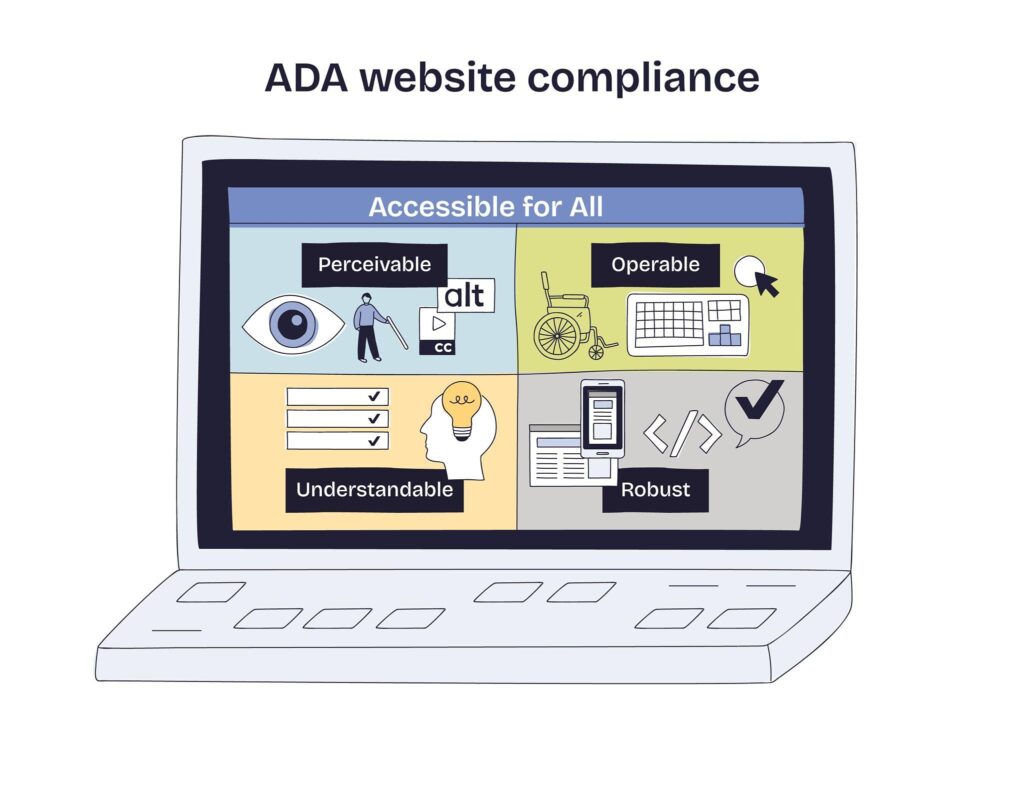
    • Has poor color contrast
    • Is not usable with a keyboard
    • Lacks proper labels for screen readers
    • Uses inaccessible forms or navigation

    You could be accused of denying access to users with visual, motor, or cognitive impairments.

    In recent years, law firms and advocacy groups have begun aggressively scanning small business websites for these issues. Many business owners receive legal notices demanding immediate fixes, settlements, or both. Defending even a weak claim can cost thousands of dollars, which is why many businesses feel pressured to pay rather than fight.

    Why Small Businesses Are Especially Vulnerable

    Large corporations typically have legal teams and compliance budgets. Small businesses do not.

    Most small business owners:

    • Used a theme or website builder they assumed was compliant
    • Relied on a developer who never mentioned ADA
    • Built their site years ago, before accessibility was discussed widely
    • Have never intentionally excluded anyone

    Yet intent does not matter in these claims. If the site fails accessibility checks, it can become a target.

    This creates a deeply unfair situation where businesses doing their best to serve their communities are suddenly exposed to legal risk through no fault of their own.

    ADA Compliance Is Not Just Legal Protection

    While avoiding lawsuits is important, accessibility is also simply good business.

    An accessible website:

    • Reaches more customers
    • Improves usability for everyone
    • Often performs better in search engines
    • Reflects professionalism and trust

    Accessibility improvements frequently overlap with good design and SEO practices. Cleaner structure, readable text, and logical navigation help all users, not just those with disabilities.

    How Augusta Technology Helps

    This is where Augusta Technology comes in.

    We specialize in helping small and local businesses make practical, meaningful ADA improvements without panic, pressure, or unnecessary expense.

    Our approach is simple and transparent:

    • We review your existing website for common accessibility risks
    • We correct contrast, structure, navigation, and form issues
    • We ensure your site follows modern accessibility best practices
    • We avoid breaking your branding, layout, or links
    • We document the work performed, so you can demonstrate good-faith compliance

    We do not use scare tactics. We do not upsell bloated compliance subscriptions. And we do not rebuild your site unless it is truly necessary.

    Most ADA risks can be dramatically reduced through targeted improvements when done correctly.

    Should You Add an Accessibility Statement?

    Yes, and we help with that too.

    An accessibility statement communicates that:

    • You are aware of accessibility needs
    • You are actively working to improve access
    • Users can contact you if they experience difficulty

    While it does not guarantee legal immunity, it demonstrates good faith, which matters greatly in real-world disputes.

    The Bottom Line

    ADA compliance lawsuits against small businesses are increasing, and ignoring the issue is no longer safe. At the same time, this does not need to be overwhelming or expensive.

    With the right guidance, ADA compliance becomes another part of running a professional, modern business, not a legal nightmare.

    If you are unsure whether your website is at risk or you have already received a warning letter, Augusta Technology can help you take control of the situation calmly and correctly.

    Accessibility should be about inclusion, not intimidation.

    If you would like, I can also:

    • Tighten this for SEO keywords like “ADA compliance for small businesses”
    • Rewrite it in a more aggressive or more reassuring tone
    • Add a short CTA section tailored to your local Missouri market
  • Streaming Is Broken, Here’s How Augusta Technology Helps Fix It

    Streaming Is Broken, Here’s How Augusta Technology Helps Fix It

    Streaming was supposed to simplify our lives.

    Instead, many households now juggle five to ten different apps, multiple subscriptions, rising monthly costs, and one persistent question:

    “Which service is this even on?”

    This isn’t a user problem.

    It’s a platform problem.

    And it’s exactly the kind of real-world tech frustration Augusta Technology exists to solve.

    HOW STREAMING ACCIDENTALLY RECREATED THE CABLE PROBLEM

    There was a time when streaming nearly eliminated piracy, not through laws or crackdowns, but through convenience.

    One app.

    One monthly bill.

    Press play.

    Over time, that simplicity disappeared.

    Today’s streaming landscape is dominated by exclusive content locked behind separate platforms, rising subscription costs, fragmented libraries, and endless app switching.

    Ironically, the legal path has become more complicated than ever.

    When convenience fades, people don’t become immoral, they become resourceful.

    THE REAL SOLUTION ISN’T MORE APPS, IT’S AGGREGATION

    The answer isn’t another streaming service.

    It’s aggregation, one place to discover, track, and manage content across platforms.

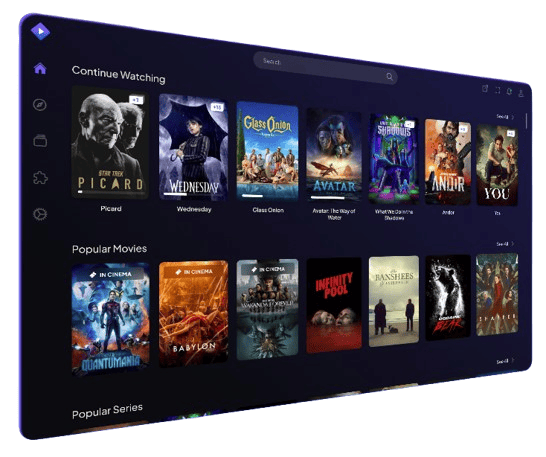
    This is where Stremio shines.

    Stremio doesn’t host content.

    It organizes it.

    From a single interface, users can browse movies and TV shows across platforms, track what they’re watching, see where content is available, and get notified when new episodes are released.

    With the right add-ons, Stremio can even display a TV show release calendar, show upcoming episodes before they drop, and keep everything organized without app hopping.

    That’s not piracy.

    That’s good user experience.

    A QUICK WORD ABOUT HARDWARE (NO, I’M NOT SPONSORED)

    I do not get paid by Walmart to say this.

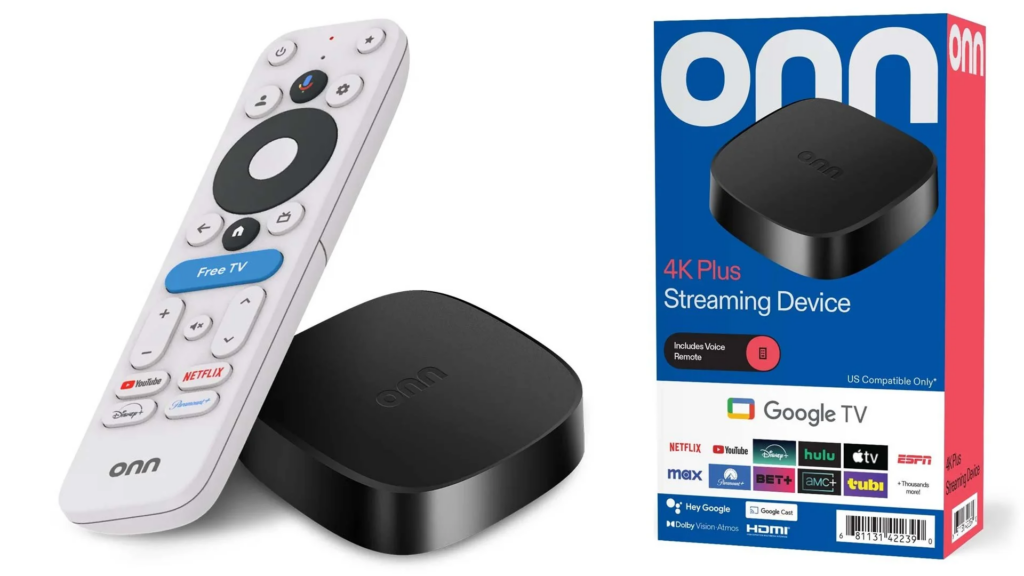
    But the ONN Streaming Plus 4K device solves a real problem for real people.

    Why it works so well:

    – Affordable and easy to replace

    – Runs Android TV cleanly

    – Handles apps like Stremio smoothly

    – Simple to update and maintain

    Paired with proper setup, it becomes a powerful, no-nonsense streaming hub.

    Simple.

    Functional.

    Effective.

    WHERE AUGUSTA TECHNOLOGY COMES IN

    Most people don’t want to research devices, compare apps, install plugins, organize home screens, or troubleshoot buffering and login issues.

    They just want their TV to work.

    Augusta Technology helps by selecting the right streaming hardware, setting up Android TV devices, installing and configuring aggregation apps responsibly, organizing streaming apps into a clean layout, and teaching clients how to use features like watchlists and release calendars.

    The goal isn’t more technology.

    The goal is less frustration.

    FINAL THOUGHTS

    Streaming didn’t fail because people stopped caring about content.

    It failed because platforms stopped caring about user experience.

    Apps like Stremio exist because the industry left a gap.

    Local tech companies like Augusta Technology exist to help people navigate that gap without stress.

    If your streaming setup feels harder than it should, it’s not you.

    You don’t need another subscription.

    Another remote.

    Another guessing game.

    You need a smarter setup.

    And that’s something we’re happy to help with.

    Visit https://augusta-tech.com/contact to setup and appointment and the owner will provide a free consultation to help you save money and simplify your life.

  • Home Network Installation and Smart Home Readiness: Your Guide to Home Automation

    Home Network Installation and Smart Home Readiness: Your Guide to Home Automation

    In today’s digital age, a robust home network is no longer a luxury; it’s a necessity. Whether you’re streaming your favorite shows, controlling smart devices, or working from home, a reliable network ensures seamless connectivity throughout your space. If you’re considering upgrading your home technology, understanding home network installationsmart home readiness, and home automation is crucial, especially when integrating devices like Amazon’s smart gadgets and smart TVs.

    Home Network Installation: The Foundation of a Smart Home

    Before diving into smart home devices, it’s essential to ensure your home network can handle multiple devices simultaneously. Proper home network installation starts with evaluating your internet plan, router placement, and wiring needs. Modern routers with dual-band or tri-band capabilities provide faster speeds and less interference, which is particularly important when multiple devices are connected at once.

    Wired connections, such as Ethernet, offer stable and reliable performance for devices that require high bandwidth, including smart TVs and gaming consoles. Meanwhile, Wi-Fi connectivity ensures flexibility and convenience for mobile devices, smart speakers, and sensors placed around your home. Investing in a strong home network today lays the groundwork for future smart home upgrades.

    Smart Home Readiness: Preparing Your Home for Automation

    Once your network is optimized, the next step is assessing your home’s smart home readiness. This involves checking your electrical system, Wi-Fi coverage, and compatibility with smart devices. A home prepared for automation typically includes:

    • Consistent Wi-Fi coverage in every room
    • Adequate power outlets for smart devices
    • Compatibility with popular smart home ecosystems like Amazon Alexa, Google Home, or Apple HomeKit

    Smart home readiness ensures that devices like smart thermostatssecurity cameras, and voice-controlled assistants work efficiently without constant interruptions.

    Home Automation: Making Life Easier and More Efficient

    Home automation takes convenience to the next level. By integrating smart devices into a single network, you can control lights, temperature, security, and entertainment systems through your smartphone or voice commands. Automation routines can include:

    • Turning lights on or off at scheduled times
    • Adjusting thermostats based on occupancy
    • Locking doors automatically when you leave home
    • Streaming content to smart TVs with a single command

    The key to successful home automation is compatibility. Devices from the same ecosystem, like Amazon’s electric devices, often work seamlessly together, creating a more integrated and user-friendly experience.

    Amazon’s Electric Devices: Powering Your Smart Home

    Amazon offers a wide range of smart home devices that simplify daily routines. Products such as Echo smart speakersFire TV, and Ring security cameras are designed to integrate easily into your home network. With voice control via Alexa, you can manage lighting, play music, and monitor your home from virtually anywhere.

    These devices also work with other brands, meaning you can expand your smart home without being locked into one ecosystem. For instance, you can connect your Amazon Echo to smart plugs, thermostats, and even your smart TV, creating a fully automated environment.

    Smart TVs and Wi-Fi Connectivity: Entertainment Meets Convenience

    No smart home is complete without a smart TV. Modern smart TVs offer streaming, gaming, and browsing capabilities directly through Wi-Fi. A stable home network is critical here; buffering or slow connections can ruin your viewing experience.

    When properly connected, smart TVs can integrate with other devices, allowing you to control the TV with voice commands or mobile apps. For example, you can ask your Amazon Echo to turn on the TV, launch Netflix, or adjust the volume without ever touching a remote.

    Conclusion

    Investing in home network installation, ensuring smart home readiness, and embracing home automation can transform your living space into a modern, convenient, and energy-efficient environment. With Amazon’s electric devices and smart TVs seamlessly connected to your Wi-Fi, you can enjoy a fully integrated home experience. Start with a strong network, plan your automation needs, and gradually add devices to create a smart home that works for you.

  • Windows 11 Privacy: What Microsoft Collects and How to Protect Yourself

    Windows 11 Privacy: What Microsoft Collects and How to Protect Yourself

    Windows 11 Privacy: What Microsoft Collects and How to Protect Yourself

    Most people do not realize how much data Windows sends out by default. This article explains what is collected, why it matters, and practical steps to reduce it. Educational first, then solutions.

    What Microsoft Collects on Windows 10 and 11

    Microsoft groups Windows signals into two broad sets: required diagnostic data and optional diagnostic data. Required signals include basic device identifiers, hardware and OS version, reliability and update readiness, plus limited error reporting. Optional signals include more detailed app usage, feature interaction, and enhanced crash reports. Users and admins can review outbound events with the Diagnostic Data Viewer and control many settings from Privacy and Security.

    • Required diagnostic data includes basic device information, OS build, drivers, reliability, and Microsoft Store basics.
    • Optional diagnostic data can add application usage, feature interactions, and deeper error details. It also supports personalized tips and recommendations when tailored experiences are on.
    • Apps and services such as Edge, Bing, OneDrive, Defender SmartScreen, and Microsoft 365 generate their own network calls and telemetry on top of the core OS.

    Why This Matters for Privacy

    Telemetry can reveal patterns about how you use your computer, which apps you open, when the device is active, and what features you search. Even when content is not collected, the metadata can still be sensitive because it tells a story about behavior. Independent investigations have highlighted concerns about transparency and consent, especially in earlier Windows 10 releases. Browser-level measurements show that default configurations can also contact multiple endpoints in the background.

    Why Most People Do Not Know This is Happening

    1. Language such as diagnostics, personalization, and experience improvement sounds helpful, so most users accept defaults.
    2. Visibility is low. The Diagnostic Data Viewer is available but rarely opened. Without it, outbound events are not obvious.

    The result is simple. You cannot protect what you do not know exists.

    What You Can Do Right Now

    • Open Settings → Privacy and security → Diagnostics and feedback. Turn off optional diagnostic data and turn off tailored experiences.
    • Launch Diagnostic Data Viewer and review what has been sent. Clear history when finished.
    • Review Edge settings. Disable personalization and reduce background services you do not need.
    • Audit your Microsoft account privacy dashboard: clear location, search, and voice data you do not want stored.

    How Augusta Technology Solves This

    • Disable telemetry and tracking services where possible.
    • Turn off integrated AI features (Copilot), remove online search hooks, and minimize cloud tie-ins.
    • Reduce or replace Edge and Bing integrations, while keeping security features intact.
    • Enforce privacy via policy and registry so settings survive updates.
    • Offer streamlined builds such as Tiny11 for power users who want fewer components and lower overhead.
    • Keep systems secure and fully patched without excessive background communication.

    Serving Washington, Augusta, and the surrounding Missouri communities.

    Request a Privacy Tune-Up

    Call: 636-231-5555  |  Web: Augusta-Tech.com

    References and Further Reading

    • Microsoft Learn: Optional diagnostic data for Windows — https://learn.microsoft.com/en-us/windows/privacy/optional-diagnostic-data
    • Microsoft Learn: Required diagnostic events & fields (Windows 11 24H2) — https://learn.microsoft.com/en-us/windows/privacy/required-diagnostic-events-fields-windows-11-24h2
    • Microsoft Learn: Diagnostic Data Viewer overview — https://learn.microsoft.com/en-us/windows/privacy/diagnostic-data-viewer-overview
    • Microsoft Learn: Configure Windows diagnostic data in your organization — https://learn.microsoft.com/en-us/windows/privacy/configure-windows-diagnostic-data-in-your-organization
    • CNIL (France) formal notice on Windows 10 — https://www.cnil.fr/sites/default/files/atoms/files/resolution_2016-185_to_make_public_formal_notice_microsoft.pdf
    • Dutch DPA investigation summary (Windows 10) — https://www.autoriteitpersoonsgegevens.nl/uploads/imported/public_version_dutch_dpa_informal_translation_summary_of_investigation_report.pdf
    • Douglas Leith, Trinity College Dublin: “Web Browser Privacy: What Do Browsers Say When They Phone Home?” — https://www.scss.tcd.ie/Doug.Leith/pubs/browser_privacy.pdf
  • New UniFi Products: Fall 2025

    New UniFi Products: Fall 2025

    Ubiquiti Raises the Bar Again: Introducing the UNAS-2 and NVR-Instant


    Ubiquiti has done it again — bringing innovation, simplicity, and sleek design together with the launch of the UNAS-2 and Network Video Recorder Instant (NVR-Instant). These new devices redefine what small businesses and homeowners can expect from professional-grade networking and security technology.

    The UNAS-2: Compact, Powerful, and Purpose-Built

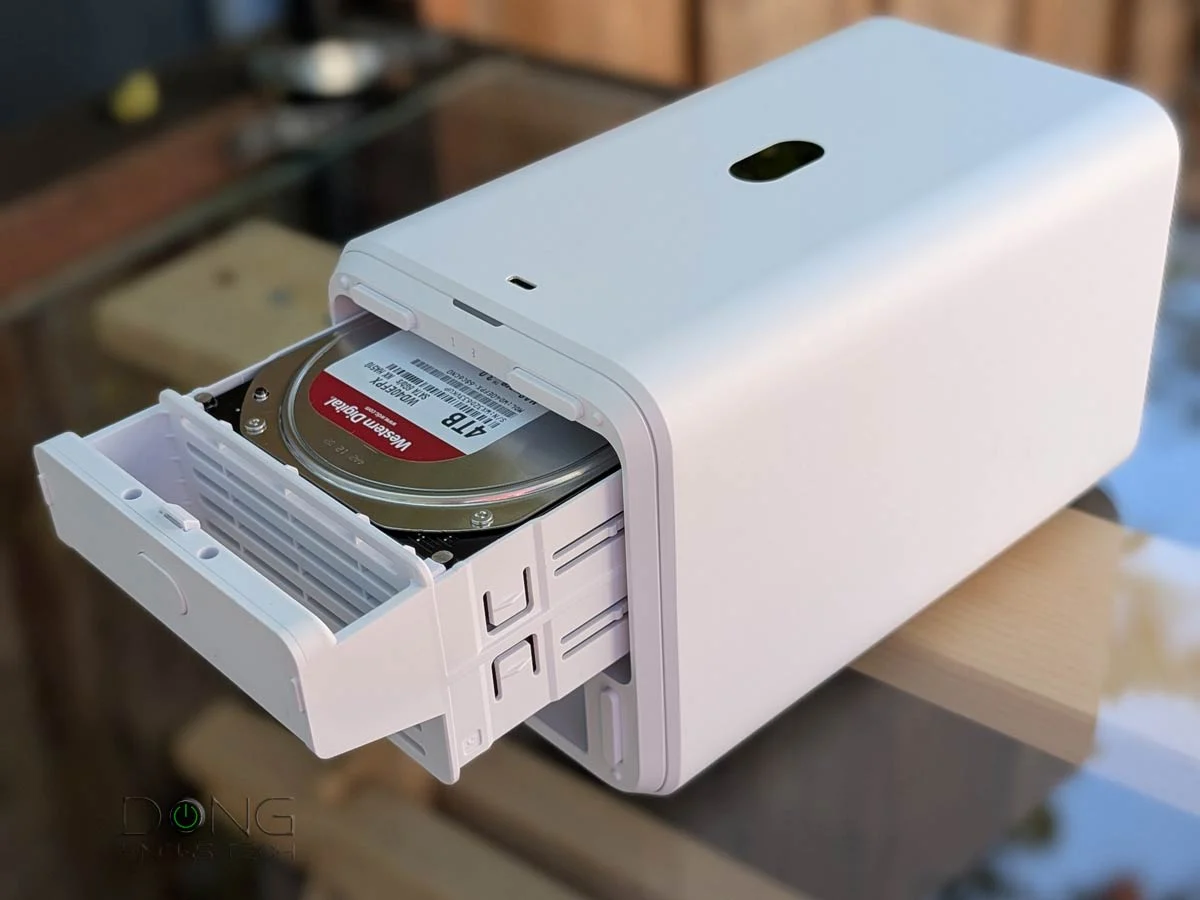
    The new Ubiquiti UNAS-2 is a 2-bay network-attached storage (NAS) system designed to integrate perfectly with UniFi OS. It’s the ideal solution for anyone looking to host their own local storage for security footage, backups, and personal cloud services — all without relying on third-party subscriptions.

    Key Features:

    • Two drive bays for customizable storage options
    • Native integration with UniFi Protect, UniFi Access, and UniFi Backup
    • Whisper-quiet cooling and energy-efficient design
    • Sleek, stackable form factor that fits seamlessly into any UniFi setup

    For homeowners, the UNAS-2 means peace of mind and data ownership. For businesses, it’s an affordable and scalable way to centralize storage without complicated configurations.


    NVR-Instant: Recording Redefined

    The Network Video Recorder Instant (NVR-Instant) brings plug-and-play simplicity to UniFi Protect. Unlike traditional NVRs that require manual setup, the NVR-Instant is ready in seconds — just connect it to your UniFi console, and it instantly begins recording your camera feeds.

    Highlights:

    • Instant setup — connect and record right away
    • Seamless UniFi Protect integration
    • Cloud backup and hybrid recording capabilities
    • Compact design with enterprise-grade reliability

    Whether you’re managing a multi-camera commercial surveillance system or just want smarter home security, the NVR-Instant provides instant access, playback, and remote viewing — all from the UniFi Protect app.


    Why These Products Matter

    Ubiquiti continues to bridge the gap between enterprise-grade technology and user-friendly design. Both the UNAS-2 and NVR-Instant empower users to control their data locally, streamline setup, and scale effortlessly within the UniFi ecosystem.

    At Augusta Technology, we’re excited about what these devices mean for local clients. They make it easier than ever to build smart, secure, and efficient networks for your home or business — with full control and zero monthly subscriptions.


    Ready to Upgrade?

    If you’re in Washington, Augusta, or surrounding Missouri communities, Augusta Technology can help you design, install, and maintain your UniFi network. Whether it’s Wi-Fi 7, Protect camera systems, or local storage solutions like the UNAS-2, we’ll make sure your setup runs flawlessly from day one.

    📞 Call or text: 636-231-5555
    🌐 Learn more: augusta-tech.com

  • Upgrade “Incompatible” PC to Windows 11!

    Upgrade “Incompatible” PC to Windows 11!

    Windows 10 Support Ends October 14, 2025

    Microsoft will officially end support for Windows 10 on October 14, 2025. After that, there will be no new security updates, patches, or technical assistance. (Official Microsoft Announcement)

    Continuing to run Windows 10 beyond this date can expose your system to security risks and software incompatibilities. While Microsoft offers limited Extended Security Updates (ESU) for enterprise environments, most home users and small businesses should upgrade to Windows 11 as soon as possible.


    Why Some PCs Are Labeled “Incompatible”

    Microsoft’s Windows 11 installer checks for:

    • TPM 2.0 and Secure Boot
    • UEFI firmware
    • Newer CPU generations
    • Minimum RAM and storage thresholds

    Unfortunately, this means many otherwise capable computers get blocked from upgrading — even though they’re more than powerful enough to run Windows 11 smoothly.


    How Chris Titus Tech Demonstrates Windows 11 Installs on Older PCs

    You don’t have to throw out a perfectly good computer. Tech expert Chris Titus Tech has shown in multiple videos how to install and optimize Windows 11 on older or “unsupported” hardware safely and effectively.

    One of his most popular videos — “Installing and Using Windows 11 on a 10-Year-Old PC” — shows that with the right preparation, bypassing compatibility checks is both possible and stable. His tutorials cover:

    • How to create a Windows 11 installer that skips TPM and Secure Boot checks
    • Registry modifications to bypass hardware validation
    • Post-install performance tweaks for smoother operation
    • Privacy and telemetry adjustments to optimize speed and security

    His approach has helped thousands of users keep older machines alive without losing Microsoft’s modern features and performance benefits.


    Tiny11 — The Lightweight Option

    For systems that truly can’t handle full Windows 11, there’s Tiny11 — a community-developed, streamlined version of Windows 11 that removes unnecessary apps and features. It’s fast, minimal, and ideal for older machines.

    Check out Chris Titus Tech’s overview and installation guides for Tiny11 on his channel: Chris Titus Tech — Windows & Optimization Playlist.

    Pros:

    • Runs on older hardware with limited RAM or storage
    • Much faster boot and performance than stock Windows 11
    • Cleaner interface, no bloat

    Cons:

    • Not officially supported by Microsoft
    • Updates must often be applied manually
    • May require custom drivers or tweaks

    At Augusta Technology, we only recommend Tiny11 when traditional Windows 11 installations are truly not feasible.


    How Augusta Technology Helps You Upgrade

    We specialize in Windows 11 upgrades for any PC, even those marked “incompatible.” Serving Augusta, Washington, New Melle, Defiance, Dutzow, Marthasville, and Lake St. Louis, we’ve helped dozens of users extend the life of their computers safely and affordably.

    Our process:

    1. Hardware Compatibility Check – CPU, BIOS, TPM, Secure Boot, and storage validation.
    2. Data Backup & Protection – Full backup to prevent data loss during upgrade.
    3. Safe Bypass Installation – We use proven methods to install Windows 11 securely.
    4. Optimization & Testing – Drivers, updates, and system tuning for top performance.
    5. Post-Upgrade Support – We help you adjust settings, apps, and ensure stability.

    Don’t Wait Until It’s Too Late

    Windows 10 will reach its End of Life before you know it. Upgrading now ensures your data, business, and privacy remain secure. Whether you’re interested in a full Windows 11 upgrade or exploring Tiny11 for older hardware, we can help you find the best path forward.

    Contact Augusta Technology today for a free system compatibility check or Windows 11 upgrade consultation.

    • Cat 6 Keystone Punchdown Termination

      Cat 6 Keystone Punchdown Termination

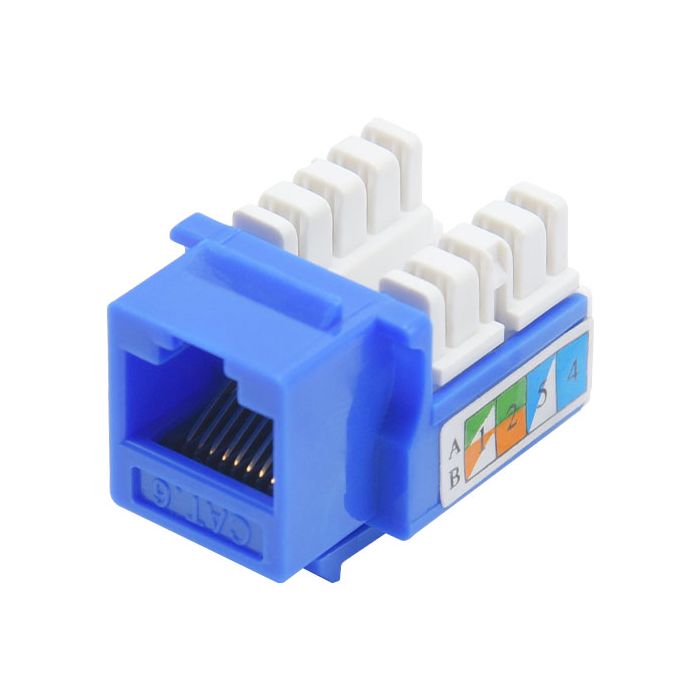
      Cat 6 Ethernet Keystone Punchdown Termination: Step-by-Step Guide

      Published on September 22, 2025 — by Augusta Technology

      If you’ve ever set up a home network, upgraded an office connection, or installed structured cabling for clients, you know that a clean and reliable Cat 6 Ethernet termination makes all the difference in network performance.

      In this quick video tutorial, we walk you through how to properly terminate a Cat 6 cable using a standard keystone jack and punchdown tool. Whether you’re a DIY enthusiast, IT professional, or network installer, this guide will help you achieve professional results every time.

      🎥 Watch the full video here: Cat 6 Keystone Punchdown Termination (YouTube)


      🧰 What You’ll Learn

      • The correct T568A vs T568B wiring standards
      • How to prepare and strip Cat 6 cable without damaging internal pairs
      • Proper pair alignment and seating inside the keystone
      • Using a 110 punchdown tool for a clean, solid connection
      • Tips for avoiding crosstalk, shorts, and signal loss
      • How to test your termination for continuity and performance

      💡 Why Proper Termination Matters

      A poor cable termination can cause intermittent connectivity issues, reduced data speeds, and even complete signal failure.
      By taking a few extra minutes to follow correct punchdown techniques, you’ll ensure your Cat 6 network performs at full Gigabit or 10-Gigabit speeds — ideal for gaming, streaming, or business applications.


      🏡 Perfect for:

      • Home lab builders and IT enthusiasts
      • Small business network installations
      • Audio/Video and smart home technicians
      • Anyone looking to upgrade to Cat 6 or Cat 6a cabling

      ⚙️ Recommended Tools & Materials

      • Cat 6 Ethernet cable (solid copper preferred)
      • Keystone jacks rated for Cat 6
      • Punchdown tool (110-style)
      • Wire stripper & cable cutter
      • Cable tester (optional but recommended)

      🔗 Related Topics


      🏷️ Tags

      #Cat6 #Ethernet #Keystone #NetworkInstallation #AugustaTechnology #Punchdown #StructuredCabling #HomeNetwork #TechTutorial #DIYNetworking


      Augusta Technology is your trusted IT partner in Augusta and Washington, MO — offering professional network installations, smart home setup, Wi-Fi optimization, and business IT support.
      Visit us at Augusta-Tech.com for more guides, tutorials, and local tech services.

    • Non-passthrough Cat 6 termination

      Non-passthrough Cat 6 termination

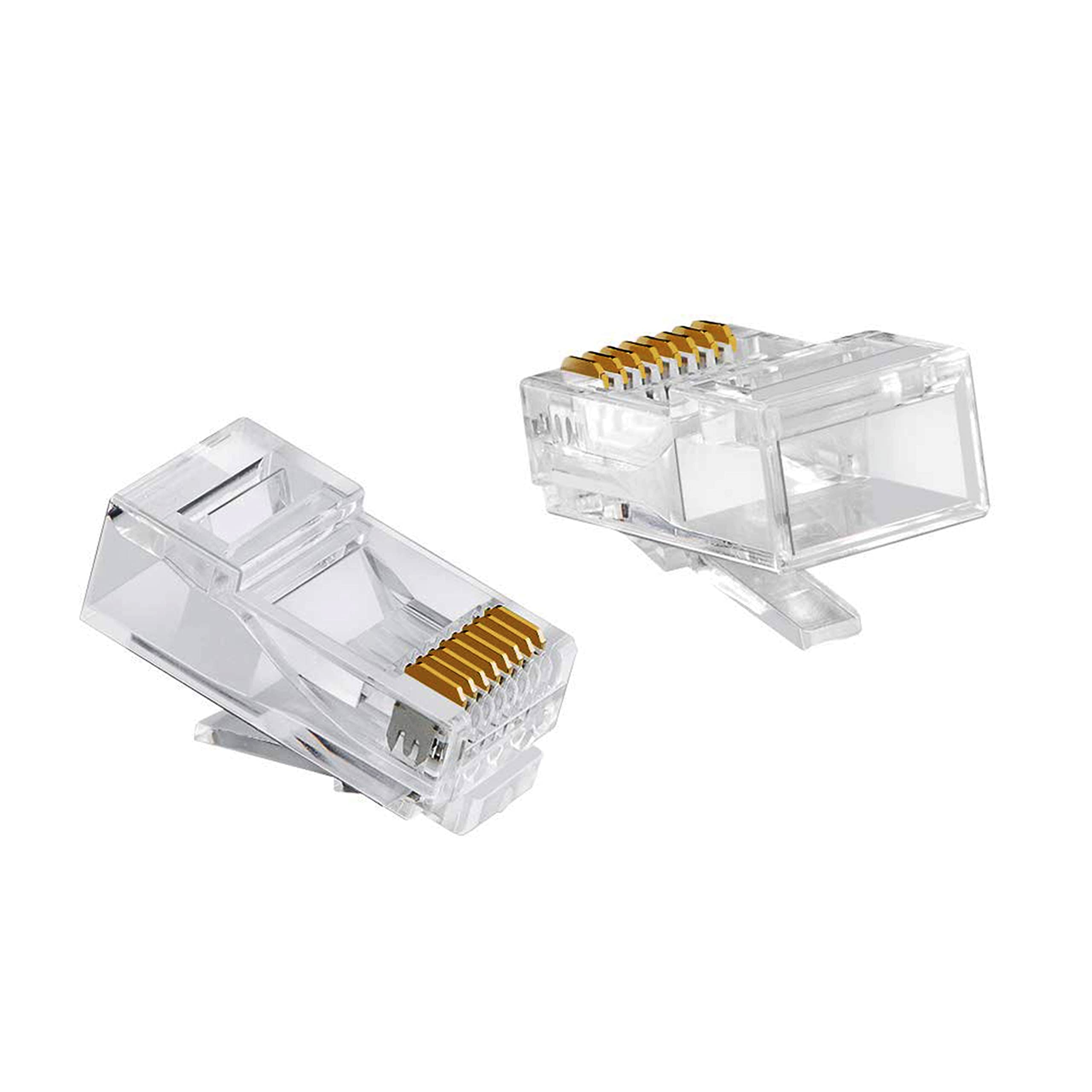
      How to Terminate Cat 6 Ethernet Cable with Standard (Non-Pass-Through) RJ45 Connectors

      Published on October 13, 2025 (Updated) — by Augusta Technology

      When precision and reliability matter most, mastering the art of terminating Cat 6 Ethernet cables with non-pass-through RJ45 connectors is an essential networking skill.
      In this tutorial, we demonstrate how to create professional-grade terminations using standard RJ45 plugs — the same method trusted by electricians, IT professionals, and network installers everywhere.

      🎥 Watch the full video here: Cat 6 Non-Pass-Through Termination Tutorial (YouTube)


      🧰 What You’ll Learn

      • How to strip and prepare Cat 6 cable for termination
      • Proper pair alignment using the T568B wiring standard
      • How to seat wires cleanly inside the RJ45 plug
      • The correct way to crimp using a standard crimping tool
      • Tips for avoiding signal loss, open pairs, and crosstalk
      • How to test your finished cable for continuity and performance

      💡 Why Choose Non-Pass-Through Connectors?

      Standard RJ45 connectors are more traditional and often preferred for field work where precision is critical and pass-through ends aren’t necessary. They offer a secure mechanical fit, are compatible with most crimp tools, and produce a sleek, professional look ideal for patch cables, wall plates, and patch panel installations.

      Although the process takes a bit more patience than using pass-through ends, the results are durable, consistent, and compliant with Cat 6 performance standards.


      ⚙️ Tools & Materials

      • Cat 6 Ethernet cable
      • Standard Cat 6 RJ45 connectors (non-pass-through type)
      • RJ45 crimping tool
      • Cable stripper and cutter
      • Small precision scissors or flush cutter
      • Cable tester (optional but recommended)

      🏠 Ideal For

      • Professional network technicians
      • Office and business wiring
      • Patch panel terminations
      • Home networking projects
      • Anyone looking to improve cable management and reliability

      🔧 Pro Tips

      • Keep wire twists intact as close to the connector as possible.
      • Use a flush cut and confirm all conductors are seated evenly before crimping.
      • Double-check the T568B color sequence (orange/white, orange, green/white, blue, blue/white, green, brown/white, brown).
      • Test both ends — one bad termination can ruin the entire cable.

      🔗 Related Posts


      🏷️ Tags

      #Cat6 #RJ45 #Ethernet #NonPassThrough #NetworkInstallation #AugustaTechnology #StructuredCabling #TechTutorial #HomeNetwork #DIYNetworking

    • How to Terminate Cat 6 Ethernet Cable with Pass-Through RJ45 Connectors

      How to Terminate Cat 6 Ethernet Cable with Pass-Through RJ45 Connectors

      How to Terminate Cat 6 Ethernet Cable with Pass-Through RJ45 Connectors

      Published on October 13, 2025 — by Augusta Technology

      When building or upgrading your wired network, learning how to properly terminate Cat 6 Ethernet cables with pass-through RJ45 connectors is an essential skill.
      In this hands-on video tutorial, we show you how to achieve clean, professional results using the pass-through (EZ-style) crimp method, ensuring reliable high-speed connections for your home or business network.

      🎥 Watch the full video here: Cat 6 Pass-Through Termination Tutorial (YouTube)


      🧰 What You’ll Learn

      • The difference between standard RJ45 and pass-through connectors
      • Step-by-step instructions for stripping and preparing Cat 6 cable
      • How to align twisted pairs for the T568B wiring standard
      • Proper use of a pass-through crimping tool
      • Trimming technique for flush, snag-free cable ends
      • How to test for continuity and signal integrity

      💡 Why Use Pass-Through Connectors?

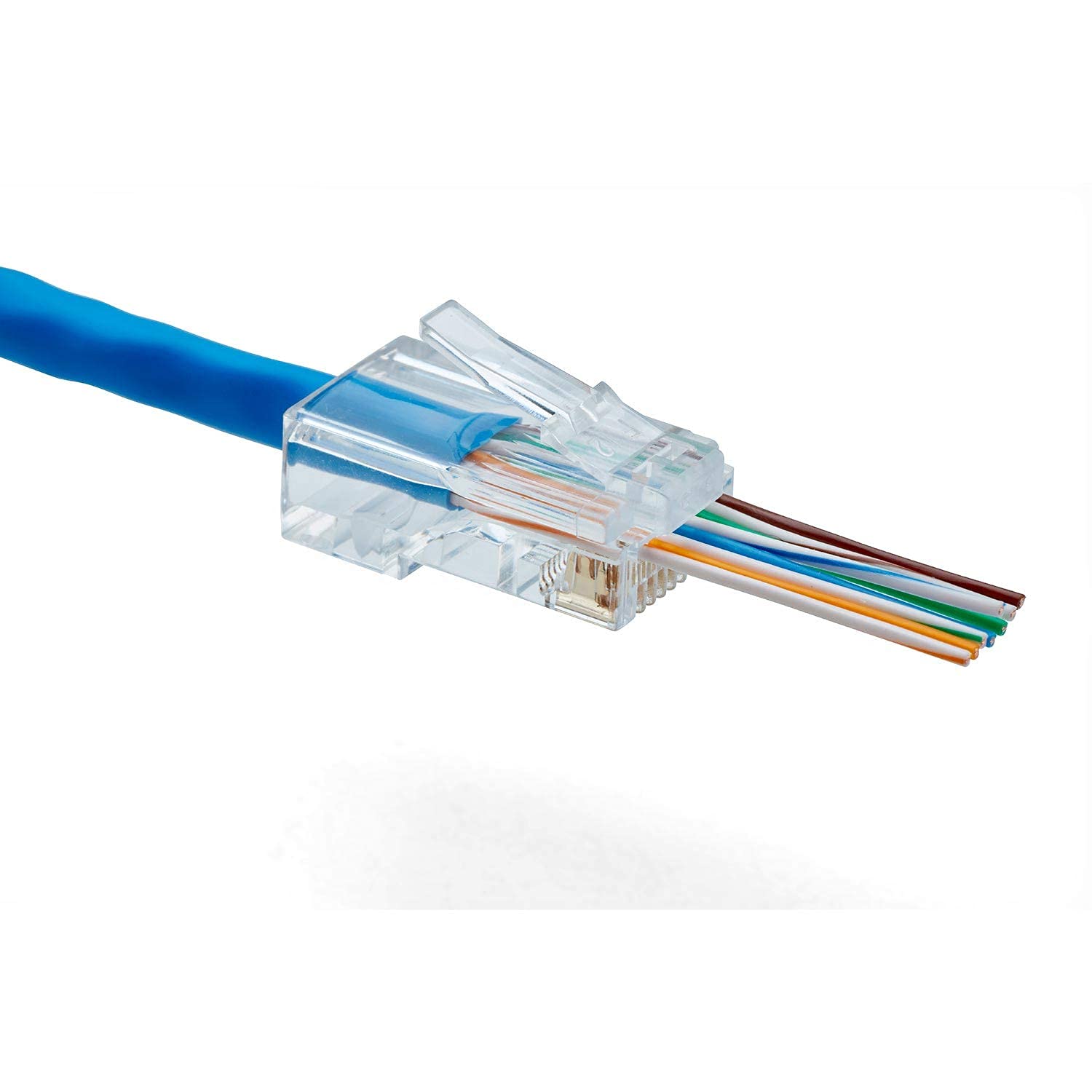
      Pass-through RJ45 connectors make termination faster and more precise. The cable pairs feed completely through the connector, allowing you to visually confirm the color order before crimping. This greatly reduces errors and wasted connectors, saving both time and frustration — especially for DIY installers, technicians, and IT professionals working on multiple cables.


      ⚙️ Tools & Materials Needed

      • Cat 6 (solid or stranded) Ethernet cable
      • Cat 6 pass-through RJ45 connectors
      • Pass-through crimping tool
      • Cable jacket stripper
      • Flush cutter or crimp tool blade
      • Cable tester (optional but highly recommended)

      🏠 Ideal For

      • Home lab and network enthusiasts
      • Small office or shop wiring
      • Surveillance camera and NVR setups
      • Gaming PCs and high-speed home networks
      • IT technicians and smart home installers

      🔧 Pro Tips

      • Always maintain twist integrity up to the connector to reduce crosstalk.
      • Double-check your pair sequence (T568B or T568A) before crimping.
      • Use Cat 6-rated connectors and tools for best performance.
      • Test each cable before final installation — it’s faster than troubleshooting later.

      🔗 Related Posts


      🏷️ Tags

      #Cat6 #RJ45 #PassThrough #Ethernet #Networking #DIY #AugustaTechnology #StructuredCabling #TechTutorial #HomeNetwork

    • Better Home Networking with Ubiquiti: Why UniFi WAPs Beat Repeaters & Mesh Systems

      Better Home Networking with Ubiquiti: Why UniFi WAPs Beat Repeaters & Mesh Systems

      Reliable Wi-Fi is no longer a luxury—it’s a necessity. Whether it’s working from home, streaming in 4K, online gaming, or keeping smart devices connected, today’s households expect their internet to work everywhere. But in homes over 2,500 square feet, weak signals and dead zones are common problems.

      This is where Ubiquiti’s UniFi wireless access points (WAPs) stand out. Unlike traditional consumer routers or Wi-Fi repeaters, UniFi systems deliver seamless, enterprise-grade coverage across your entire home—and even outdoors.

      Why Repeaters Fall Short

      Wi-Fi repeaters are often marketed as a quick fix for weak signals, but they come with serious drawbacks. They catch and rebroadcast your existing Wi-Fi signal, which cuts bandwidth in half and creates extra latency. The larger the home, the worse the problem gets. Instead of fixing coverage issues, repeaters often trade them for slower, less reliable connections.

      The UniFi Advantage

      UniFi WAPs eliminate dead zones by creating overlapping coverage zones, all hard-wired back to your network. This ensures strong, fast Wi-Fi in every corner of your home without the speed loss of repeaters. For homeowners, that means flawless connectivity. For builders and contractors, it means fewer service calls and happier clients.

      Key Benefits of UniFi WAPs

      • Seamless roaming: Devices automatically connect to the strongest access point without dropping signal.
      • Full speed everywhere: Each WAP is wired, so you get consistent speeds with no bottlenecks.
      • Scalable coverage: Add access points as needed—perfect for homes 2,500 sq ft and beyond.
      • Outdoor connectivity: Keep patios, garages, and backyards connected with UniFi outdoor units.
      • Future-ready infrastructure: With low-voltage wiring in place during the build, UniFi systems install cleanly and scale easily as needs grow.

      Built for Builders and Contractors

      Installing UniFi during or right after construction means homeowners enjoy flawless coverage from day one, and builders avoid call-backs about weak Wi-Fi. With the right wiring in place, the system integrates neatly into the home’s infrastructure, offering a turnkey solution that sets your projects apart from the competition.

      Smarter Control with UniFi

      UniFi’s free controller software gives homeowners easy tools to manage their network: bandwidth monitoring, guest Wi-Fi, parental controls, and more. Everything can be managed through a clean dashboard or mobile app—no tech background required.

      Final Thoughts

      For homes 2,500 sq ft or larger, UniFi is the smarter choice over repeaters. It provides seamless, high-speed coverage indoors and outdoors, reduces troubleshooting headaches, and offers builders a reliable, future-proof networking solution.

      At Augusta Technology Solutions, we specialize in low-voltage wiring and UniFi installations. By handling both the wiring and the setup, we ensure your home or project gets flawless Wi-Fi coverage right from the start.